Monday, March 21, 2011
Paper Clip
. The sweep function allows the user to extrude a closed profile along a path. The path may be open or closed. The profile and the path must exist as two separate sketches. We used the sweep function to extrude the circle along the existing path to create the form of a paper clip.
Tuesday, March 15, 2011
Mid-Plane
. The mid-plane extrusion function will joined, cuted, or intersected the selected sketch and it had equal distances in both directions from the selected profile. We performed a 1 inch midplane extrusion on the sketch.
Lunch tray
The shell function allows the user to remove unnecessary mass from a feature. The resulting geometry will have a wall thickness that is specified by the user. We rotated the object so that its underside is visible. We used the shell function to pocket out the material on the bottom side of the object, leaving a wall thickness of .3125 inch.
Loft
The loft function allows the user to create a solid or surface by blending two or more shapes that are located on different planes. We used the loft function to blend the three profiles into one solid object.
Left half : mirror
Mirror is a function that allows the user to create a mirror image of existing geometry. This function requires an existing feature(s) and a surface or work plane to serve as the mid-plane of symmetry. We used the mirror function to add a duplicate mirror image of the existing geometry on the other side of the right face of the object.
Intersect
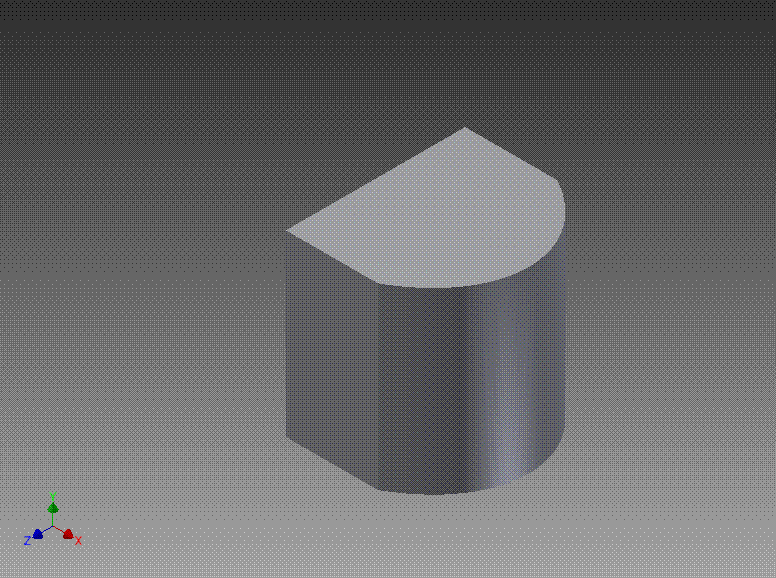
The intersect extrusion function performed a Boolean addition and subtraction in one operation. Any part of the sketch profile that overlaps existing geometry will remain. The portion of the sketched profile and the existing geometry that do not overlap will be removed. We performed an intersect extrusion on the sketch all the way through the existing object to observe what takes place.
Friday, March 11, 2011
Fillets Chamfers
Fillet is a function that allows the user to create a rounded blend where two surfaces meet to form an edge. It should be noted that on an exterior corner, the resulting feature is known as a round. On an interior corner, the resulting feature is known as a fillet. We Used the fillet function to apply a .25 radius to the corners shown above. We Used the chamfer function to apply a .25 inch x 45° chamfer to the edges shown above.
Subscribe to:
Posts (Atom)